
Fast entry
Start with a short title and a few lines while the dream is still fresh.
Built for the blurry minutes after you wake
Capture a short title and written dream, with optional voice notes or photos. Save the entry, then revisit recorded symbols and emotions as your archive grows.
Create a free account. No card needed. Creating and entering Forest require membership at $3.99 USD/month for new members. Cancel anytime. Existing lifetime access stays permanent.
Log dreams within the first few minutes of waking, before details fade. In Mercury 91, add a short title and a few written lines about the setting, people, and strongest image. Voice notes and photos are optional attachments. Save the entry, then add tags, emotions, or more detail when you have time.
Start with a short title and a few lines while the dream is still fresh.
Speak the dream before your mind edits it. Audio stays with the entry.
Optional AI reflection uses a selected dream and recent recorded symbol and emotion context.
Find every dream about water, flight, or a specific place in seconds.
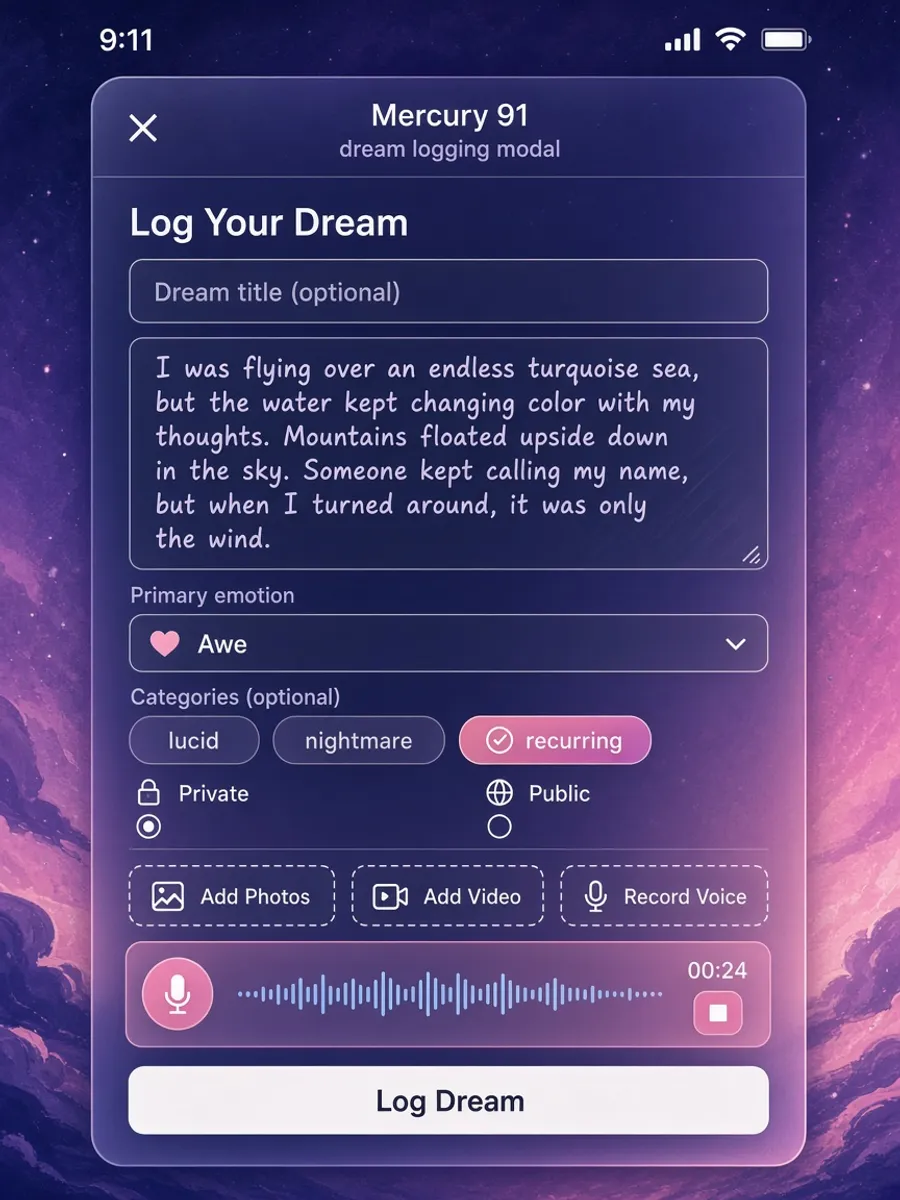
You do not need a novel. Start with a short title and a few written lines. Add a voice memo or photo if useful, and fill in more detail later.
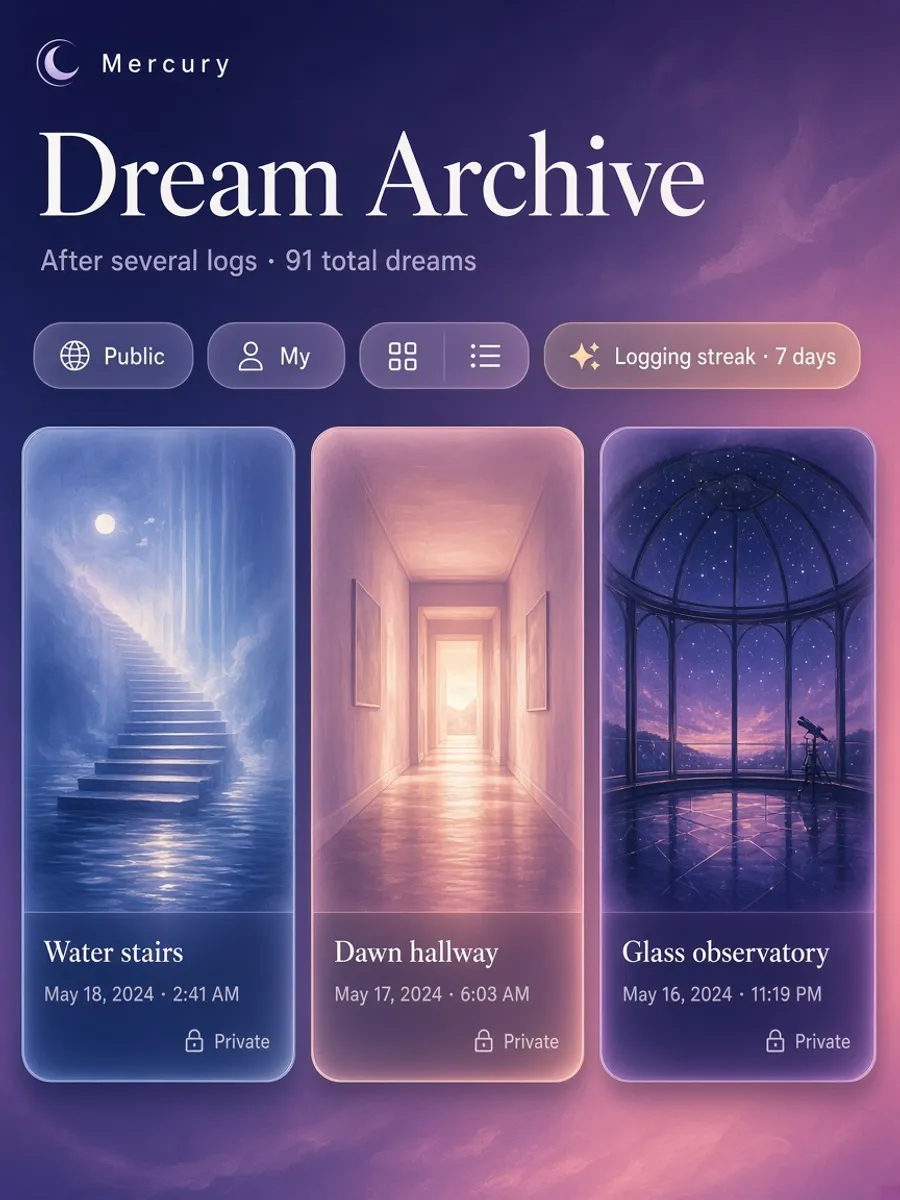
The more you log, the clearer the through-lines. See which emotions repeat and which symbols follow you week to week.
Dreams fade in minutes. The product is built around that clock, not around writing a polished essay.
When you wake, open Mercury 91 and start a dream log with a short title and a few lines of dream text. Both are required for a new entry. You can also attach a voice recording or a photo, then add categories, emotions, and more detail when you have time.
Each entry lands in your private archive by default. Optional AI analysis works on a selected dream with recorded symbol and emotion summaries from your 25 most recent entries. Search, tags, and archive reviews help you explore older entries yourself.
Search and tags make the archive usable. Looking for every dream that mentioned water, a childhood house, or a specific person should take seconds, not a scroll through a paper notebook. Logging is the capture layer; journaling and analysis build on top of it.
Capture the scene before trying to explain it. This is an illustrative entry, not a published user dream.
Title: The harbour door. Dream text: I was walking along a harbour at dusk. A blue door stood in the water, and I recognised the voice behind it. I felt curious, then uneasy when the handle disappeared.
That short title and description give you something concrete to save. If you remember more later, edit the entry and add the people, setting, or feelings you left out. A recording or photo can accompany the text; it does not need to become a polished story before you keep it.
If you have tried journaling and quit because mornings feel too hard, logging is the lighter habit. Writers, lucid-dreamers, therapists in training, and curious night people all need a reliable capture step before deeper reflection.
Parents who wake with kids, shift workers, and anyone whose alarm cuts the dream short benefit from voice capture. Speaking thirty seconds of fragments often preserves more than forcing a paragraph while still blurry.
Compared with generic notes apps, Mercury 91 keeps dream entries in a dedicated archive with dream-aware tools. Compared with paper alone, you get search, backups, and optional AI pattern help without giving up a private default.
Logging is speed: get the night down before it evaporates. Journaling is depth: edit, expand, tag emotions, and sit with longer entries. Mercury 91 supports both on the same account so you are not choosing between apps.
Start with a quick log if long-form mornings are difficult. Expand it in the full dream journal when you have time, then use AI dream analysis to explore themes across entries. Capture first, add context later, and return to the same archive whenever an image repeats.
The full dream journal, with search and long-form entries
AI-powered dream analysis across your archive
Track recall and recurring themes over time
Improve recall before you log
How Mercury 91 compares in 2026
Recurring images in your own log
Wind down before the dreams start
The founder verse and Wordrae recording
Where a captured night becomes an orb you can orbit
This experience is part of Mercury 91's living universe. Looking around the Universe is free. Creating and entering Forest need membership. $3.99/month for new members. Cancel anytime. 14-day money-back. Already bought Mercury 91? Your lifetime access stays yours, at no further cost, forever.
Enter the universeCreate a free account. No card needed. Creating and entering Forest require membership at $3.99 USD/month for new members. Cancel anytime. Existing lifetime access stays permanent.